
Features
Everything Tessera does
A procedural 3D app designed from the start so an AI can drive it, and so you can see and change everything it does.
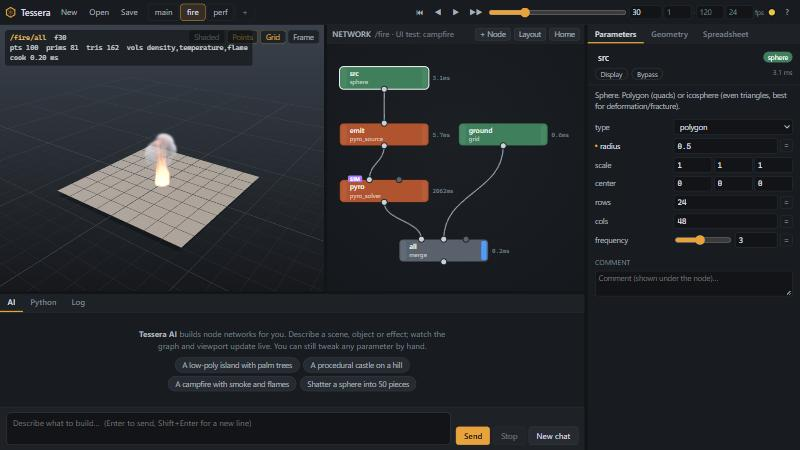
A node graph
164 node types in 17 categories: Generate, Modify, Attribute, Group, Curve, Volume, Terrain, Building, Nature, Destruction, Dynamics, Particles, Pyro, Fluid, Cloth, Utility, IO. Nodes take geometry in, return geometry out, and every result is cached so only what changed re-cooks.
- Right-click empty graph space (or press Tab) for the node menu: categories on the left, nodes in the middle, each node’s docs on the right. Start typing to search.
- Drag from an output port to an input port to connect. Double-click a node to make it the display node. B bypasses, Del deletes a node or wire, L lays the graph out.
- Nodes edited by the AI flash as they change, so you can follow along.
- Reusable assets: build a network once and use it with
subnet,for_each(once per piece) orobject_merge.
The AI panel
Type what you want and press Enter. The AI builds the graph through the same tools a script would use, and you watch every step in the AI log, the graph and the viewport. Pick the provider and model from the two menus next to the Send button.
Tessera AI (local)
An Ollama model customised for Tessera. Per request it gets only the relevant nodes and the closest proven recipe graph, writes a plan of every part, builds in one pass, then a deterministic layout check (overlaps, floating parts, roofs, chimneys) feeds exact fixes back until the scene is clean. It auto-picks the best installed model that fits in free GPU memory, and starts Ollama hidden on first use.
Claude
Your Claude Code login (the claude CLI) with the Tessera MCP tools. Choose the default model, Opus, Sonnet or Haiku.
GPT
Your ChatGPT login through the Codex desktop app’s CLI, with the Tessera MCP tools.
Recipes the local AI learns from
The local model learns from example graphs. Anything you save as a recipe (POST /api/recipes/save) lands in %USERPROFILE%\Tessera\recipes and becomes a candidate “closest proven recipe” for future requests.
MCP for Claude Code
Register the Tessera MCP server once and every Claude Code chat can say “use tessera to…”. If the app is open, edits appear live in the window; if it is closed, the MCP server starts the engine headless in the background. Tools include edit_graph, render (Claude looks at its own work), check_layout, export and send_to_unreal.
Projects, graph tabs and Combine
- Project tabs in the top bar: each tab is a separate project with its own graphs, cache, frame range and file. Projects never see each other. All tabs autosave and reopen next start.
- Graph tabs in the node pane: each graph has its own network; the viewport shows that graph’s display node, and the camera is remembered per graph.
- ⊕ Combine makes a new graph that pulls the others in with
graph_refnodes and a merge, each placed with translate / rotate / scale. Build a house, a terrain and a forest separately, then assemble.
A viewport you can fly through
Hold the right mouse button to look, WASD to fly, Q/E down and up, Shift to go faster, and the wheel while holding to change the fly speed. Left drag orbits, middle drag pans, the wheel zooms, F frames everything.
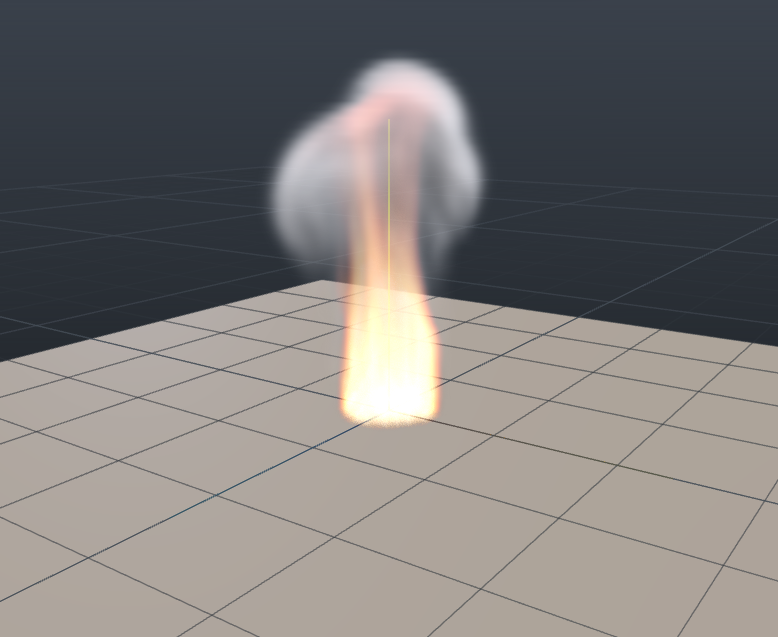
Shaded, wire-on-shaded and wireframe display, points and grid toggles, and real volume rendering for smoke, fire and fog volumes. A heads-up display shows point, primitive and triangle counts, volumes and cook time.
Undo, redo and drag-to-scrub
- Ctrl+Z / Ctrl+Y (or Ctrl+Shift+Z), or the arrows in the top bar. History is per project, 150 steps; a continuous slider drag is one step; AI edits are undoable too.
- Press and drag sideways inside any number field to scrub it (Shift fine, Ctrl coarse). A plain click still types.
- Any parameter can be an expression:
=sin(F*0.2)*2,=ch("box1.size").Fis the frame,Tthe time in seconds.
Procedural modelling
The classic SOP toolkit: primitives (box, sphere, grid, tube, torus, text, curves…), transform, mirror, bend, twist, mountain, Catmull-Clark subdivide, extrude with inset, solidify, manifold booleans, convex hull, polyreduce, clip, scatter and copy-to-points with orient / pscale / variants, curve tools (sweep, revolve, skin, carve, polywire), attribute tools and a numpy “VEX” in attrib_wrangle. Volumes and SDFs: VDB from polygons, smooth CSG, SDF shapes in code, metaballs, voxel remesh.
Terrain
Heightfields with fractal noise (fbm, ridged, billow, worley, hybrid, domain warp), hydraulic droplet erosion plus thermal erosion, terraces, flow maps, masks by slope, height, curvature and direction, mask-driven scattering and meshing with terrain colours. hf_export writes a 16-bit PNG and .r16 for Unreal Landscape plus 8-bit layer masks, and computes the exact Landscape import scale and location.
Buildings and fairy architecture
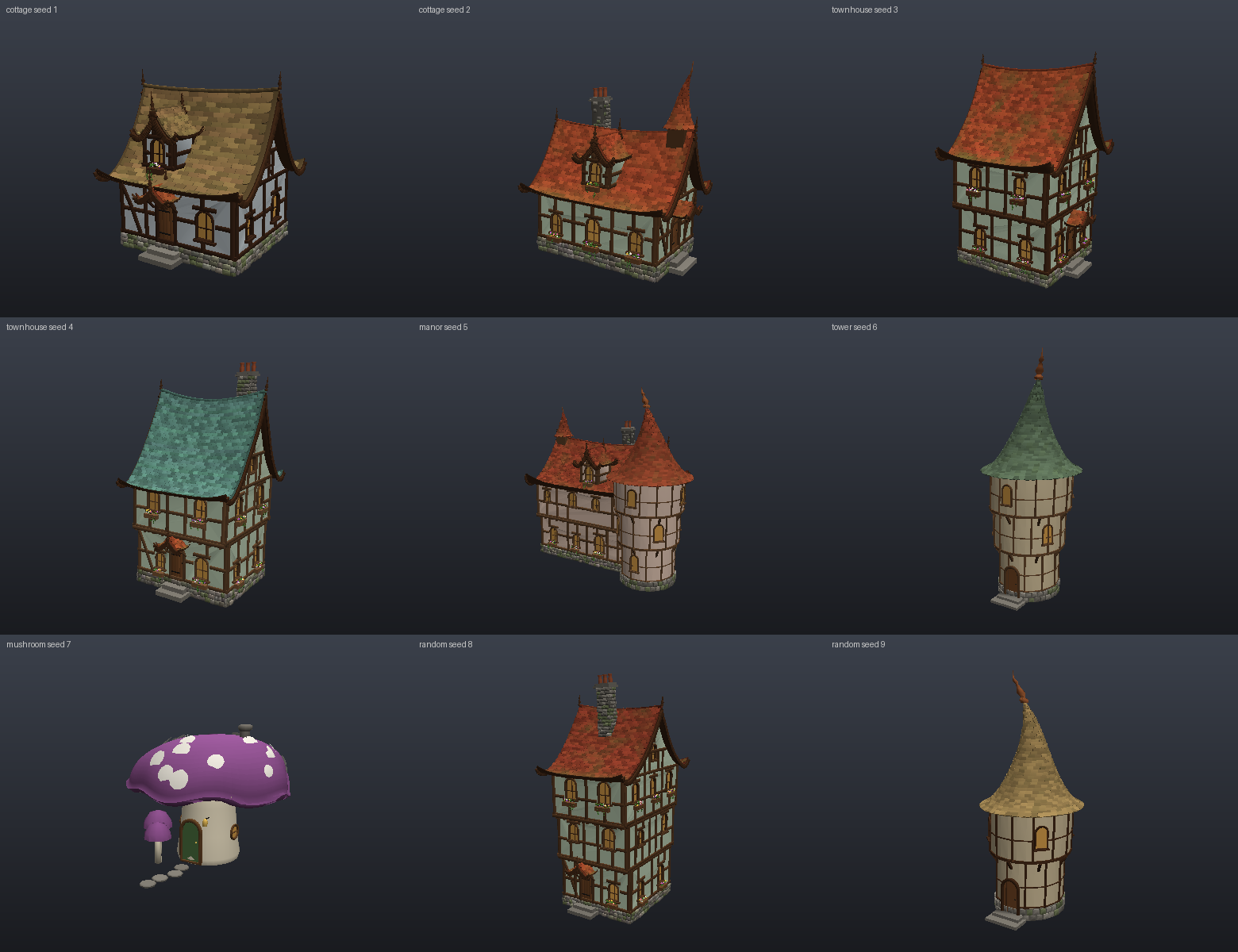
fairy_house makes one complete fairy-tale building from a seed in a style of cottage, townhouse, manor, tower, mushroom or random. fairy_village lines a winding cobbled street with varied houses that face it, with trees in the gaps and no overlaps. There are also fairy_tower, mushroom_house and the parts they are built from: timber_house, storybook_roof, stone_chimney. A crooked slider controls the lean, bowed walls and wavy lines.
For other styles: building, city, road, stairs, fence, wall_bricks, bridge, plus nature nodes tree, lsystem, rock, grass, forest.
Sculpting
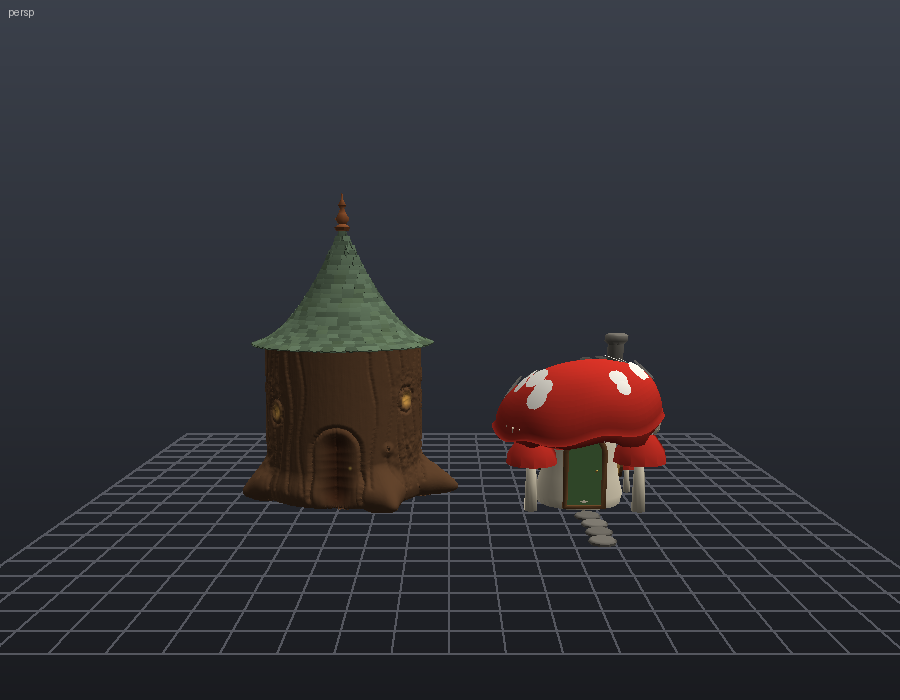
refine: crack-free adaptive subdivision that splits only edges longer thanmax_edge.sculpt: brush strokes as data. Draw, inflate, clay, crease, pinch, flatten, scrape, smooth, grab, noise and paint (vertex colour), each with points or a centre, radius and strength. Curves on input 1 become stroke paths for grooves and cracks.sculpt_detail: one-click hand-made wear by material: wood grain and chipped edges, rough stone, lumpy plaster, warped tiles. Also thesculptedswitch onfairy_houseandfairy_village.
FX and simulations
Destruction
voronoi_fracture, glue constraints and an XPBD rigid-body solver with projectiles, explosions and activation by radius.
Cloth & soft bodies
Vellum-like XPBD cloth with pinning, wind and colliders; soft bodies with pressure and shape matching.
Particles
A POP network in one node: emission, gravity, drag, curl-noise turbulence, attractors and collisions, plus trails.
Pyro
Eulerian smoke, fire, explosions and candles with buoyancy, vorticity, burning fuel and volume rendering.
FLIP water
A FLIP liquid solver with foam colouring, meshed into a surface with fluid_surface.
Ocean
Tessendorf FFT deep-water ocean with wind-driven wave height, choppiness and foam.
Simulations step frame by frame from start_frame and cache every frame. Simulations guide
Unreal live link
Open your project in Unreal Engine 5 with Python remote execution enabled; Tessera finds the editor automatically. Send to Unreal imports the node as /Game/Tessera/<asset> (vertex colours, UVs, a vertex-colour material) and places an actor in front of the editor camera. Live link re-sends on every graph change and Unreal updates in place. The link is bound to one project and never pushes into a different one, and nothing is installed into the project.
Python and HTTP API
Everything the AI does is available to you: a local HTTP API at http://127.0.0.1:7419 (graph ops, cook, render, export, scenes, Unreal), a WebSocket event stream, a tiny Python client (from tessera.client import Tessera) and a Python panel inside the app that runs code in the engine with scene, np and ops() ready.
Export formats
GLB / GLTF (vertex colours and per-material PBR from the material node), OBJ (with vertex colours), PLY (point clouds too), STL and the Tessera .tgeo.npz geometry cache. Frame ranges export as numbered sequences. Heightmaps: 16-bit PNG and .r16 via hf_export. Scenes save as .tsr (JSON).
Ready to try it?
Free for Windows 10/11. No account needed.
v0.7.1 · Windows 10/11 x64 · about 160 MB · Free. No account needed. All releases